








Measure Sound. Make Music.
Discover iPhone apps created by Crystal Sound Laboratory to help you explore and work with sound.
- Measure Bowl Pitch & Explore Chords → Crystal Bowl Tuner
- Play Sustained Tones → Finger Shruti
- Add Bass to Your Bowls → Bowl Base Drone
Measure Your Crystal Singing Bowls & Explore Harmonies

Crystal Bowl Tuner
Measure a crystal singing bowl’s note and pitch using your iPhone’s microphone. Explore chord suggestions that include the measured note to find possible combinations of bowls.
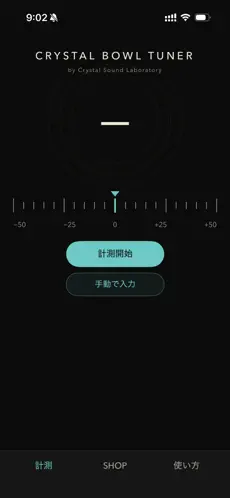
- Measure a bowl’s note and pitch
- Enter notes and pitch values manually
- Explore chord suggestions designed to approach just intonation
- Preview single notes and three-note combinations with synthesized sample tones
Useful for learning about the bowls you own or considering which note to add next.
Microphone permission is required for measurement. Readings vary with background noise and playing technique, so use them as a guide to understanding your sound.
User Guide & FAQ / Privacy Policy
A Shruti Box at Your Fingertips
Finger Shruti
Play a shruti box, the Indian drone instrument, on your iPhone. Select notes and swipe the screen to produce sound with a motion that recalls pumping air through bellows.
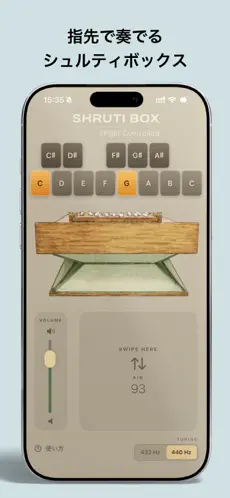
- Choose from 13 notes, C4–C5
- Play several notes at once
- Swipe to operate the bellows and control the air supply
- Switch between A = 440 Hz and 432 Hz
Use a sustained tonal foundation for singing, vocal practice, meditation, or music-making.
Try all playing features for three minutes after launching the app. The full version, available as a one-time in-app purchase, removes the time limit.
User Guide & FAQ / Privacy Policy
Add Depth
to Your Crystal Singing Bowls
Bowl Base Drone
Bowl Base Drone layers sustained bass tones beneath your crystal singing bowl performances to add a sense of stability and depth.
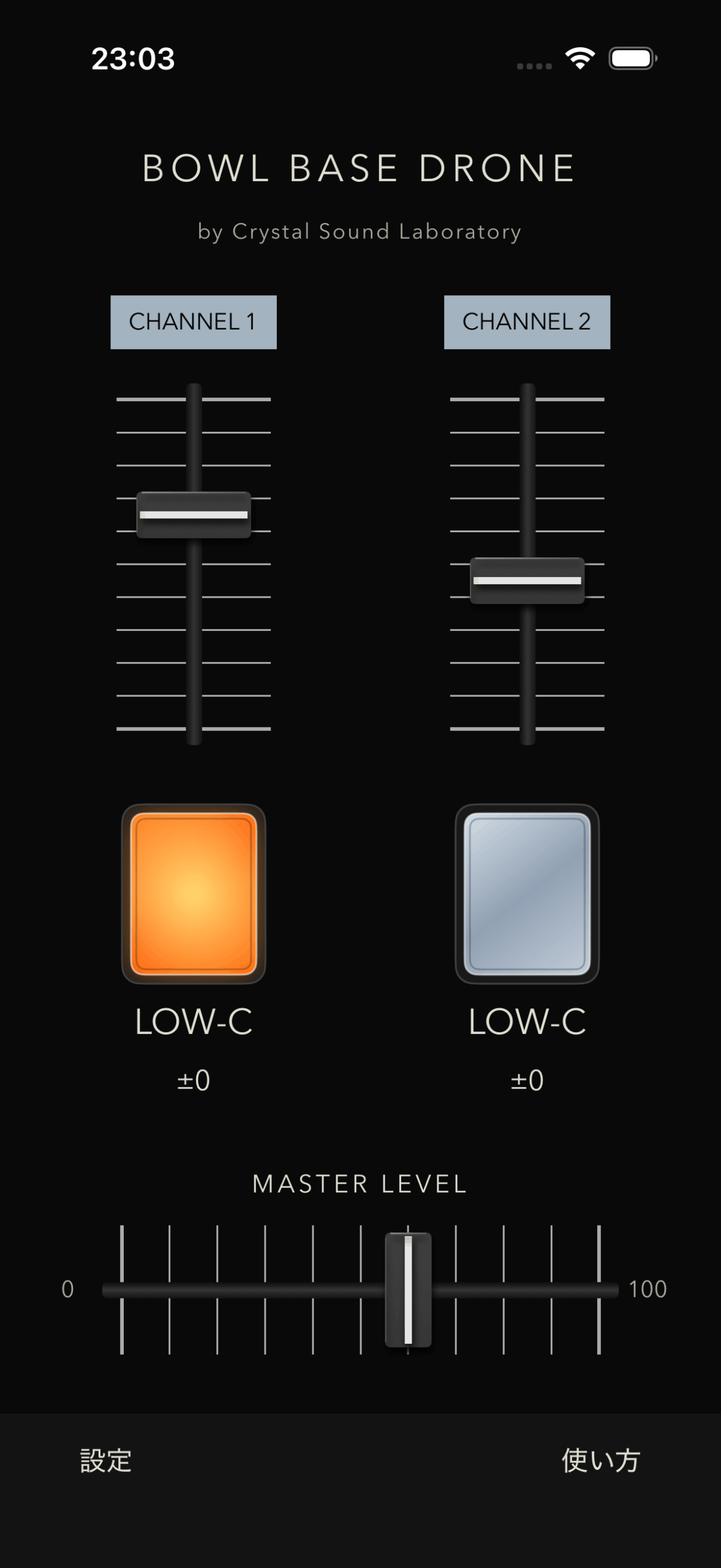
- Automatically set a bass tone to match your bowl’s note and pitch
- Sustained tones from LOW-C to LOW-B (C3–B3)
- Layer up to two tones using CHANNEL 1 and CHANNEL 2, with separate playback and volume controls
- Gentle five-second fade-in and fade-out
- Save your settings in the app
Please connect an external speaker capable of reproducing low frequencies.
Choosing a Speaker: Three Compact Options
User Guide & FAQ / Privacy Policy
Try all features free until the total time with playback switched on reaches eight minutes. The timer pauses when both play buttons are off and continues while playback is on, including in the background or with the screen locked. A one-time in-app purchase of JPY 1,200 (Japan App Store price) removes the time limit. There is no monthly fee. Prices in other regions may differ.
Downloads & Support
All three apps are designed for iPhone. For current system requirements and pricing, please check each app’s App Store page.
For help with features or problems, start with the app’s User Guide & FAQ. If you still need help, contact us with the app name, your iPhone model, iOS version, and a description of what happened.
Developed & Operated by Crystal Sound Laboratory / Magali Kikaku LLC